WinSpirit Mobile App Crashes on Launch: A Step-by-Step Troubleshooting Guide
Experiencing a crash the moment you try to open the WinSpirit app can be incredibly frustrating, especially when you’re looking forward to some gameplay. This comprehensive guide will walk you through the most common causes and provide actionable, step-by-step solutions to get the WinSpirit casino app running smoothly on your device again.
Initial Checks and Basic Troubleshooting
Before diving into complex solutions, always start with these fundamental steps. They resolve a surprising number of launch issues. First, ensure you have a stable internet connection, as a weak signal can cause the app to fail during its initial loading sequence. Second, perform a forced restart of your phone. For iPhones, quickly press and release the volume up button, then the volume down button, then press and hold the side button until the Apple logo appears. For Android devices, typically hold the power button and volume down button simultaneously for about 10 seconds. Finally, check if your device’s operating system is up to date, as outdated software can lead to compatibility problems with newer app versions.
Verifying App and Device Compatibility
If basic steps don’t work, the issue might be compatibility-related. The WinSpirit app requires specific versions of iOS or Android to function correctly. Check the official app store listing for the minimum OS requirements. Furthermore, ensure you downloaded the official application from the Apple App Store or Google Play Store. Third-party APK files from unverified sources are a common cause of instability and crashes. Also, verify that your device has sufficient storage space (at least 500MB free is recommended) and that you have granted the app all necessary permissions (like storage and notifications) upon installation.
Advanced Solutions: Clearing Cache and Data
Corrupted temporary data is a frequent culprit behind app crashes. Here’s how to clear it:
- Go to your device’s Settings menu.
- Navigate to “Apps” or “Application Manager”.
- Find and select the WinSpirit app from the list.
- Tap on “Storage”.
- Select “Clear Cache” first and try launching the app again.
- If the crash persists, go back and select “Clear Data” or “Storage & Cache”. Note that this will log you out and reset the app to its initial state.
After clearing data, you will need to log in again. This process often resolves conflicts caused by outdated or corrupted local files.
Reinstalling the WinSpirit Application
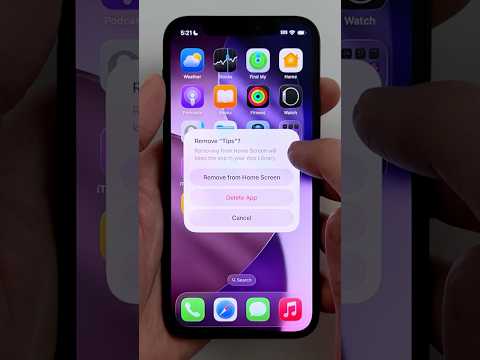
When all else fails, a clean reinstallation is the most effective solution. This ensures you have a fresh, uncorrupted version of the app. Uninstall the current WinSpirit application from your device. Then, restart your phone to clear any residual files from memory. Finally, visit the official app store to download and install the latest version of the WinSpirit app. This method is highly effective for resolving persistent launch crashes and is recommended if you are troubleshooting a WinSpirit bonus claim that failed due to app instability.
Understanding Common Error Patterns
Sometimes, crashes are linked to specific actions or account states. For instance, the app might crash consistently when trying to load a particular game or when a pending WinSpirit no deposit bonus is being processed. If you notice a pattern, it can help narrow down the cause. The table below outlines some common crash scenarios and their potential meanings.
| Crash Scenario | Potential Underlying Cause |
|---|---|
| Crashes immediately on splash screen | Corrupted app data, insufficient storage, or OS incompatibility. |
| Crashes after login | Account data sync issue, or problem with a specific bonus (e.g., a WinSpirit promo code) attached to the account. |
| Crashes when entering the game lobby | Issue with loading game thumbnails or a specific corrupted game file. |
| Crashes during a specific slot game | The game data for that particular slot (perhaps one offering WinSpirit free spins) is damaged. |
Seeking Further Assistance
If you have exhausted all self-help options, the next step is to contact WinSpirit customer support. Before reaching out, gather relevant information such as your device model, operating system version, and the exact time the crash occurred. Screen recordings of the crash can be immensely helpful for the support team to diagnose the issue. You can typically contact them via live chat or email directly through the WinSpirit website if the app remains unusable. They can check for known issues on their end or provide further specialized guidance.